
SEO Technical SEO
Schema Markup Guide for Singapore (July 2026)
A practical guide to schema markup in Singapore. Learn which structured data types matter for local businesses, how to implement JSON-LD, and how to earn rich results on Google. Includes real examples from our client work.

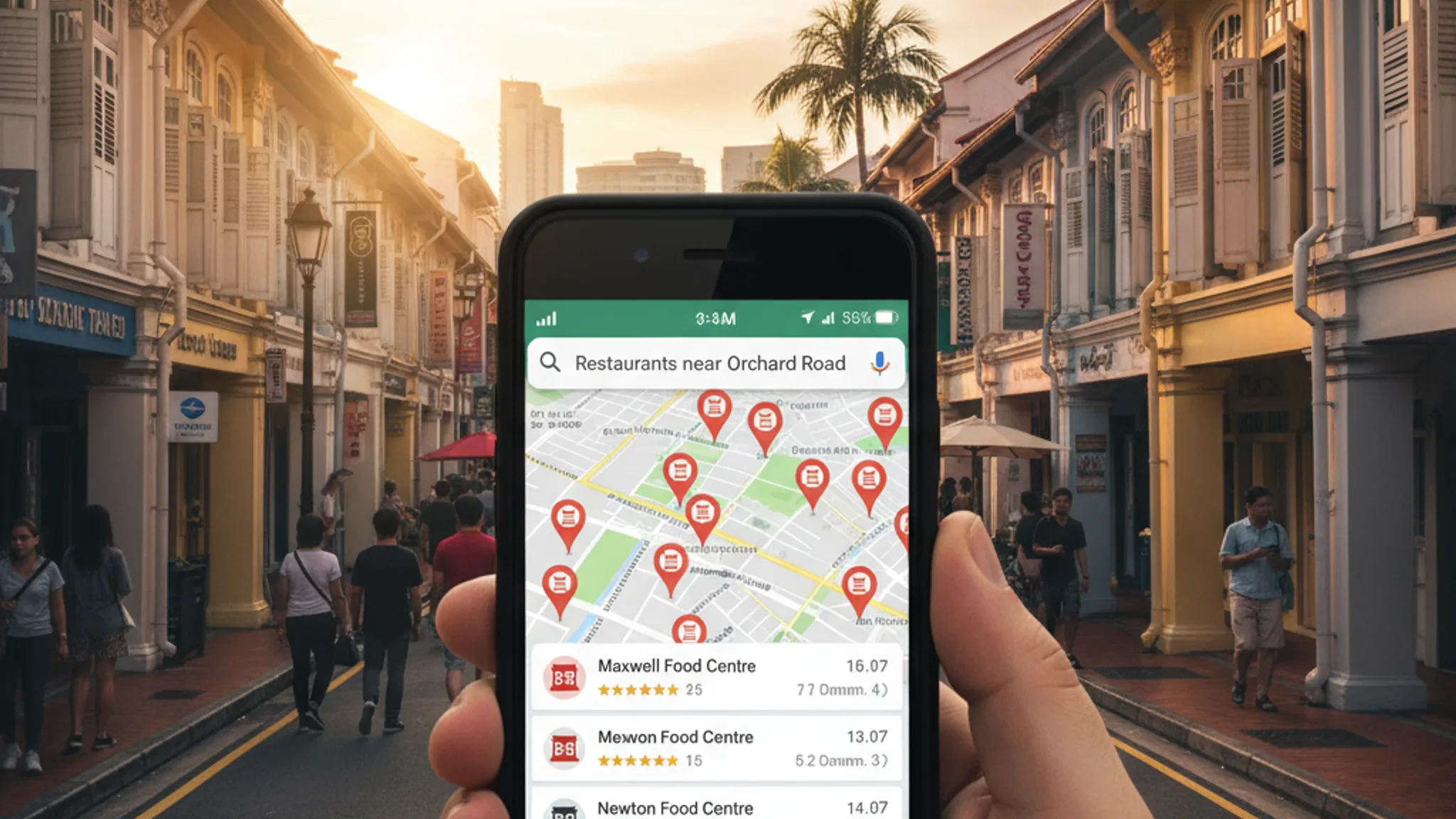
If you search for a restaurant in Singapore on Google, you'll notice that some listings show star ratings, opening hours, and price ranges right in the results, while others show nothing but a blue link and a snippet of text. The difference? Schema markup.
Schema markup in Singapore remains one of the most underused SEO techniques among local businesses. In our experience auditing SME websites, fewer than one in five have any structured data implemented at all. That's a problem, because Google uses schema to generate the rich results (review stars, FAQ dropdowns, breadcrumbs, service details) that consistently outperform plain listings in click-through rates.
This guide is the practical walkthrough we wish existed when we started implementing structured data for clients. We'll cover which schema types actually matter for Singapore businesses, how to add them using JSON-LD, how to test your markup, and the mistakes that trip up even experienced developers. If you're serious about your SEO in Singapore, this is foundational work that compounds over time.
Schema markup is a standardised vocabulary, maintained at Schema.org, that lets you describe the content on your web pages in a way search engines can understand programmatically. Think of it as labelling your content so that Google doesn't have to guess what it is. Instead of inferring that a block of text is a business address, you tell Google explicitly: "This is a LocalBusiness with this name, at this address, with these opening hours."
The result? Google can display your information as rich results: enhanced search listings that include star ratings, FAQ accordions, breadcrumb trails, product prices, event dates, and more. These rich results aren't just cosmetic. Studies consistently show they earn 20–30% higher click-through rates than standard blue-link listings.
There are three formats for implementing schema: Microdata, RDFa, and JSON-LD. JSON-LD is the format Google explicitly recommends, and it's what we use on every client project. The reason is straightforward: JSON-LD lives in a <script> tag in the page's <head>, completely separate from your visible HTML. That means you can add, edit, or remove structured data without touching the page layout, a significant advantage when managing dozens of pages.
Here's a minimal example of what JSON-LD looks like:
<script type="application/ld+json">
{
  "@context": "https://schema.org",
  "@type": "LocalBusiness",
  "name": "Your Business Name",
  "address": {
    "@type": "PostalAddress",
    "addressLocality": "Singapore",
    "addressCountry": "SG"
  },
  "telephone": "+65-XXXX-XXXX"
}
</script>
That's it. No complex syntax. No need to restructure your HTML. And once Google crawls this, your business information becomes part of its knowledge graph, making you more visible not just in traditional search, but in AI-powered search experiences as well.
Schema.org lists hundreds of types, but you don't need most of them. For the average Singapore SME, there are seven schema types that deliver the most value. These are the ones we implement as standard across our SEO service engagements.
1. LocalBusiness
This is the single most important schema type for any business with a physical presence or service area in Singapore. It tells Google your business name, address, phone number (NAP), opening hours, price range, and more. A well-implemented LocalBusiness schema strengthens your local SEO signals and supports your Google Business Profile by reinforcing consistent information across the web.
Key properties to include: name, address, telephone, openingHours, priceRange, image, url, and sameAs (linking to your social profiles).
2. Organization
While LocalBusiness covers location-specific details, Organization schema establishes your brand identity in Google's knowledge graph. Include your logo, social media links, and contact information. This is particularly useful for agencies and businesses that operate primarily online.
3. FAQPage
FAQ schema is one of the highest-ROI types you can implement. When Google picks it up, your page can display expandable question-and-answer pairs directly in search results, taking up significantly more screen space and driving more clicks. Every service page on our site carries FAQ schema for this reason.
4. Service
If you offer defined services (web design, accounting, dental, tuition, anything), Service schema lets you describe each one with a name, description, provider, and area served. For Singapore businesses, specifying areaServed as Singapore is crucial for local intent queries.
5. BreadcrumbList
Breadcrumb schema generates the navigational trail that appears above your title in search results (e.g., terris.sg > Services > SEO Singapore). It helps Google understand your site hierarchy and gives users a clearer picture of where a page sits within your site.
6. BlogPosting / Article
If you publish blog content (and you should, for SEO purposes), Article or BlogPosting schema helps Google surface your posts as rich results with publication dates, author information, and featured images. This is the schema type powering the post you're reading right now.
7. Review and AggregateRating
Review schema enables those coveted star ratings in search results. If your business has genuine customer reviews, marking them up with Review and AggregateRating schema can dramatically improve click-through rates. A listing with 4.8 stars naturally draws the eye ahead of a listing without.
Note: Google has strict policies on review markup. Reviews must be genuine, visible on the page, and directly relevant to the business or product described. Self-serving or fabricated reviews marked up with schema can result in a manual action penalty.
Implementation is more straightforward than most people expect. Here's the process we follow for every client site.
Step 1: Map your pages to schema types
Before writing any code, decide which schema type applies to each page. A typical mapping for a Singapore business website looks like this:
- Homepage: Organization + WebSite + LocalBusiness
- Service pages: Service + BreadcrumbList + FAQPage
- About page: Organization + BreadcrumbList
- Blog posts: BlogPosting + BreadcrumbList
- Contact page: LocalBusiness + BreadcrumbList
- Portfolio/case studies: CreativeWork + BreadcrumbList
Step 2: Write the JSON-LD
Each schema block goes inside a <script type="application/ld+json"> tag, typically in the <head> of your page. You can have multiple JSON-LD blocks on a single page; Google handles them fine.
For a Singapore-based service business, your homepage might carry something like this:
<script type="application/ld+json">
{
  "@context": "https://schema.org",
  "@type": "LocalBusiness",
  "name": "Your Business Name",
  "url": "https://yourdomain.sg",
  "logo": "https://yourdomain.sg/logo.svg",
  "image": "https://yourdomain.sg/og-image.png",
  "telephone": "+65-9123-4567",
  "email": "hello@yourdomain.sg",
  "address": {
    "@type": "PostalAddress",
    "addressLocality": "Singapore",
    "addressCountry": "SG"
  },
  "openingHours": "Mo-Fr 09:00-18:00",
  "priceRange": "$$",
  "sameAs": [
    "https://www.facebook.com/yourbusiness",
    "https://www.instagram.com/yourbusiness",
    "https://www.linkedin.com/company/yourbusiness"
  ]
}
</script>
Step 3: Use helper functions for consistency
If your site has many pages, hard-coding JSON-LD on each one is tedious and error-prone. We build reusable schema utility functions that generate the correct markup from your page data. On our own site, we have dedicated functions for every schema type (buildLocalBusinessSchema(), buildFAQSchema(), buildServiceSchema(), and so on) that inject the right structured data automatically based on the page being rendered.
This approach scales well. When we add a new service page, the schema is generated from the page's data without any manual JSON-LD authoring.
Step 4: Place it in the <head>
Google can read JSON-LD anywhere on the page, but placing it in the <head> is the cleanest approach. It keeps your markup separate from your content, loads early, and avoids any issues with JavaScript-rendered content further down the page.
Writing schema is only half the job. You need to validate it, and then monitor it over time. Here are the tools we use on every project.
Google Rich Results Test
This is the most important validation tool. Available at search.google.com/test/rich-results, it tests your page against the specific rich result types Google supports and tells you whether your markup is eligible for enhanced display. It flags errors (which block rich results) and warnings (which don't block them but may limit features).
Test every page after implementation, and re-test after any significant content or template changes.
Schema Markup Validator
The Schema Markup Validator (formerly the Structured Data Testing Tool) validates your markup against the full Schema.org vocabulary, not just the subset Google uses. It's useful for catching issues that Google's tool might not flag, such as properties that are technically valid but not used for any Google feature.
Google Search Console
Once your schema is live and indexed, Search Console's "Enhancements" reports show you which rich results Google has detected across your site, and flags any pages with errors or warnings. This is where you catch regressions: schema that was working but broke after a site update.
We check Search Console's structured data reports weekly for all client sites. It's the only way to spot silent failures, where a template change or CMS update has quietly broken the schema on dozens of pages without anyone noticing.
A practical validation workflow
- Write or update your JSON-LD.
- Run the page through the Rich Results Test. Fix any errors.
- Deploy the change.
- Request indexing in Search Console (optional but speeds things up).
- Monitor the Enhancements reports over the following week.
We've audited hundreds of Singapore websites and these are the mistakes that come up repeatedly. Some are simple oversights; others can trigger manual penalties.
1. Using the wrong schema type
Marking up a dental clinic as a generic Organization instead of Dentist (a subtype of LocalBusiness) misses an opportunity for more specific rich results. Schema.org has granular types for restaurants, law firms, real estate agents, tuition centres, and dozens of other local business categories. Use the most specific type that fits.
2. Missing required properties
Each schema type has required and recommended properties. A LocalBusiness without an address won't generate a rich result. A Review without a reviewRating is incomplete. Google's documentation lists exactly which properties are needed for each rich result type; check it before you publish.
3. Inconsistent NAP data
NAP stands for Name, Address, Phone number. If your schema says your business is at "10 Anson Road" but your Google Business Profile says "10 Anson Rd," that inconsistency weakens trust signals. Your structured data must match your GBP listing, your website footer, and every directory where your business appears. Exact string matching matters.
4. Schema that doesn't match visible content
Google's guidelines are clear: structured data must reflect content that's actually visible on the page. Marking up reviews that don't appear on the page, adding FAQ schema for questions that aren't displayed, or claiming an aggregate rating with no visible reviews: all of these violate Google's policies and risk a manual action.
5. Duplicate or conflicting markup
Having both Microdata and JSON-LD describing the same entity on the same page creates ambiguity. Similarly, multiple Organization blocks with slightly different information (e.g., different phone numbers) confuses crawlers. Stick to one format (JSON-LD) and ensure each entity is described once, consistently.
6. Set-and-forget mentality
Schema can break silently. A CMS update changes your template. A developer removes a script tag. A content editor changes business hours on the page but not in the schema. We've seen all of these. Structured data needs ongoing monitoring, which is why we include schema health checks in our SEO retainer packages.
Here's where things get interesting for 2026 and beyond. The rise of AI-powered search (Google's AI Overviews, ChatGPT search, Perplexity, Gemini) has changed what structured data is for. It's no longer just about earning rich results in traditional search. It's about making your business citable by AI engines.
Generative Engine Optimisation (GEO) is the discipline of optimising your content so that AI systems reference it when generating answers. And structured data plays a central role. When an AI engine processes your page, well-implemented schema gives it a clean, unambiguous data layer to pull from. It knows your business name, location, services, ratings, and FAQs without having to parse and interpret messy HTML.
Consider a query like "best web design agencies in Singapore." An AI overview might synthesise information from dozens of sources. Businesses with clear Organization, Service, and AggregateRating schema are far more likely to be cited accurately, because the AI engine can extract their information with confidence.
We've written in more detail about this shift in our guide to Generative Engine Optimisation, but the takeaway for schema specifically is this: structured data has evolved from an SEO enhancement to a foundational requirement for visibility in both traditional and AI-driven search. If your competitor's site is fully marked up and yours isn't, you're giving them an advantage in every search experience, not just Google's ten blue links.
The practical implication? Implement schema thoroughly now. As AI search grows, the businesses with the cleanest structured data will be the ones AI engines trust and reference most often.
If you're starting from zero, here's the implementation order we recommend for most Singapore SMEs:
- LocalBusiness schema on your homepage: your name, address, phone, hours, and social links. This alone supports local search visibility.
- BreadcrumbList on all pages: improves how Google displays your site hierarchy in search results.
- FAQPage schema on your service pages. Pair it with visible FAQ sections. This is often the quickest way to earn a rich result.
- Service schema for each service you offer: describe what you do, where you operate, and who provides it.
- BlogPosting schema on blog content: author, date, description, and featured image.
- Review/AggregateRating if you have genuine reviews. Only mark up reviews that are visible on the page.
- Validate everything: run the Rich Results Test on every page, then monitor Search Console weekly.
For businesses using WordPress, plugins like Yoast SEO or Rank Math can handle basic schema automatically. But for more granular control (especially across custom page types and service pages), manual JSON-LD implementation or a programmatic approach gives better results. That's the approach we take for every site we build, including this one.
If you're already running SEO but haven't touched structured data, our SEO guide for Singapore small businesses covers the broader strategy, while this post focuses specifically on the schema layer that sits underneath it.
Schema markup in Singapore isn't a nice-to-have any more; it's table stakes for serious search visibility. The businesses earning rich results, getting cited by AI search engines, and building authority in Google's knowledge graph are the ones that have invested in clean, comprehensive structured data. The ones that haven't are invisible by comparison.
The good news is that implementation isn't difficult. JSON-LD is approachable even for non-developers, the tooling for testing is free, and the return (higher click-through rates, better local visibility, and stronger AI search presence) compounds over time.
At Terris, we implement structured data as a core part of every SEO engagement. If you'd like us to audit your site's schema or build it out from scratch, get in touch. We'll show you exactly what's missing and what it's costing you in search visibility.