
SEO Technical SEO
7 Steps to Create an llms.txt File for Your Website (August 2026)
Learn how to create an llms.txt file that helps AI search engines understand your website. Step-by-step guide with examples, format rules, and Singapore SEO tips.
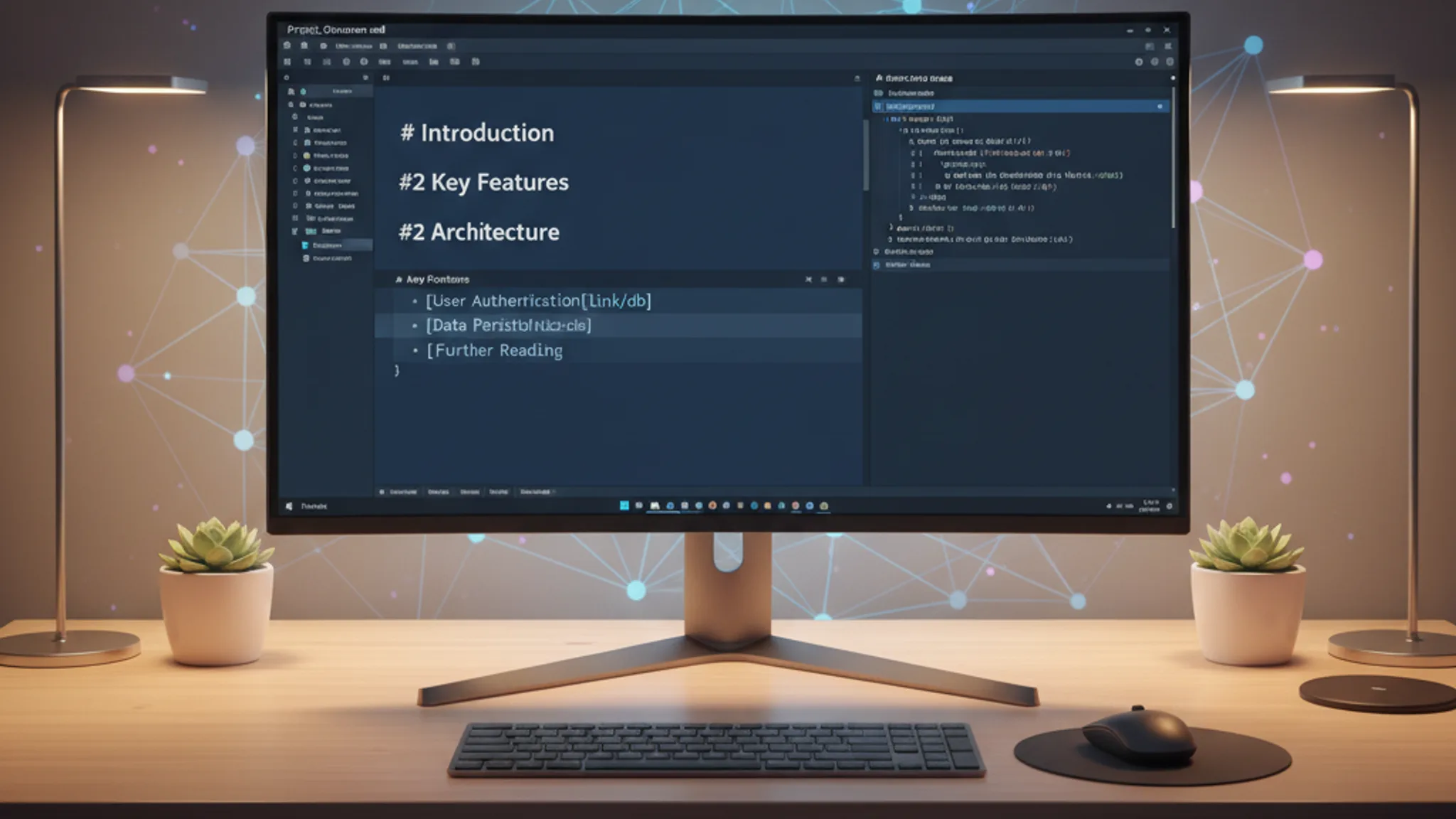
An llms.txt file is a plain-text Markdown file hosted at your website's root (e.g. yoursite.com/llms.txt) that tells AI search engines what your site is about and where to find its most important content. Think of it as a curated menu for ChatGPT, Google AI Overviews, Perplexity, and Claude, pointing them straight to the pages you want cited in AI-generated answers.
The standard was proposed in September 2024 by Jeremy Howard of Answer.AI and has since been adopted by companies like Cloudflare, Anthropic, Stripe, and Vercel. As of early 2026, roughly 10% of websites surveyed by SE Ranking have an llms.txt file in place, and adoption is growing fastest among tech-forward SMEs and documentation-heavy platforms.
This llms.txt guide walks you through what the file does, why it matters for generative engine optimisation (GEO), and exactly how to create one for your own website. If you're a Singapore business owner who wants to stay visible as search shifts towards AI, this is a practical starting point that takes less than an hour to implement.
An llms.txt file is a Markdown-formatted text file placed at the root of your website (yoursite.com/llms.txt) that provides large language models with a structured overview of your site's most valuable content. It was proposed by Jeremy Howard in September 2024 and is maintained as an open specification at llmstxt.org.
Unlike a sitemap that lists every URL on your site, llms.txt is selective. It contains a brief description of your business, followed by curated links to the pages you most want AI systems to reference when answering user questions. The file uses Markdown rather than XML because large language models process Markdown far more efficiently than structured markup languages.
There are actually two complementary files in the specification:
- llms.txt: a concise index with page titles, URLs, and one-line descriptions. Think of it as the table of contents.
- llms-full.txt: the full content of your key pages compiled into a single Markdown file. This is the entire book.
For most Singapore SME websites, the standard llms.txt file is all you need. The full-text version is primarily useful for API documentation and developer platforms with hundreds of pages.
The llms.txt file matters because it gives you direct influence over how AI search engines interpret your website. Without it, AI crawlers have to guess which pages are important by processing your entire site. With it, you're handing them a prioritised reading list.
Here's the practical context. ChatGPT has over 800 million weekly active users. Google AI Overviews appear on billions of searches each month. Perplexity processes 780 million queries per month. Gartner projects that traditional search volume will drop 25% by the end of 2026 as users shift to AI-powered answers. These aren't future predictions; they're current numbers.
For Singapore businesses, this shift is particularly relevant. Singapore leads Southeast Asia in AI adoption, and local consumers are already using tools like ChatGPT and Perplexity to research services, compare providers, and find recommendations. If an AI engine can't easily understand what your business does, it won't recommend you in those answers.
The llms.txt file supports your broader generative engine optimisation strategy in three specific ways:
- Brand control. You tell AI models exactly what your business is and which pages represent you best, instead of letting them piece together a picture from random crawled pages.
- Content prioritisation. You point AI systems to your highest-value pages (service pages, case studies, guides) rather than blog archives, legal disclaimers, or outdated content.
- Reduced misrepresentation. By providing a clear, structured summary of your business, you reduce the chance of AI systems generating inaccurate or misleading information about your brand.
One important caveat: as of March 2026, no major AI company (OpenAI, Google, Anthropic) has officially confirmed that their models actively read llms.txt files during inference. The specification is a community-driven proposal, not an adopted standard. However, Anthropic has published its own llms.txt file, and several AI-native companies are already supporting the format. The cost of implementation is near zero, while the potential upside grows as AI search matures. We consider it a sensible, low-risk investment for any business already working on SEO.
An llms.txt file follows a specific Markdown structure defined by the llmstxt.org specification. The file has four sections, only the first of which is required:
- H1 heading (required). Your company or project name. This is the only mandatory element.
- Blockquote summary. A concise description of your business in one to three sentences, placed immediately after the H1 using Markdown blockquote syntax (>).
- H2 sections with link lists. Organised groups of pages, each under an H2 heading. Every link uses the format:
[Page Title](URL): Brief description of what this page covers. - "Optional" section. A special H2 labelled "Optional" that contains secondary resources AI models can skip if they have limited context window space.
Here's a simplified example for a Singapore web design agency:
# Terris Digital
> Terris Digital is a web design and SEO agency in Singapore that helps SMEs build high-performing websites and rank higher on Google and AI search engines.
## Services
- [Web Design Singapore](https://terris.sg/services/web-design-singapore): Custom website design for Singapore businesses, from landing pages to full e-commerce stores.
- [SEO Singapore](https://terris.sg/services/seo-singapore): Search engine optimisation including technical SEO, content strategy, and local SEO for Singapore SMEs.
## Case Studies
- [Citri Mobile](https://terris.sg/portfolio/citri-mobile): Programmatic SEO strategy generating 16,000+ pages and #1 Google rankings for a Singapore phone repair chain.
## Optional
- [Blog](https://terris.sg/blog): Articles on web design, SEO, and digital marketing for Singapore businesses.
Keep descriptions concise. Each link's description should be a single sentence, not a paragraph. The purpose is to give AI models just enough context to decide whether the page is relevant to a user's query.
Creating an llms.txt file is straightforward. You don't need any special tools, plugins, or technical expertise. Here's the step-by-step process we follow when setting this up for clients.
Step 1: Audit your most important pages. Open a spreadsheet and list your 10 to 20 highest-value pages. Prioritise service pages, key landing pages, case studies, and evergreen guides. Skip thin content, legal pages, and anything you wouldn't want an AI to cite.
Step 2: Write your H1 and summary. Start the file with your company name as an H1 heading, followed by a one-to-three-sentence summary in a Markdown blockquote. Be specific: include your location, core services, and target market. "Web design agency in Singapore" is better than "digital solutions provider."
Step 3: Group pages into logical sections. Organise your links under H2 headings that reflect how your business thinks about itself. Common sections include Services, Case Studies, Guides, About, and Blog. Most SME websites need three to five sections.
Step 4: Write a one-line description for each link. After each URL, add a colon and a brief description. Focus on what the page covers and what makes it useful. Use specific numbers where possible: "Generated 10,000+ monthly impressions for a Singapore phone repair chain" beats "Phone repair case study."
Step 5: Add an Optional section. Place less critical pages (blog index, team page, terms of service) under an H2 labelled "Optional." This tells AI models they can skip these pages if they're working with limited context.
Step 6: Save as a plain text file. Save the file as llms.txt (all lowercase) and place it in your website's root directory, so it's accessible at yoursite.com/llms.txt. If you use a CMS like WordPress, you may need a plugin or a server redirect. For static sites built with frameworks like Astro or Next.js, simply add the file to your public folder.
Step 7: Test and validate. Open yoursite.com/llms.txt in a browser to confirm the file loads correctly. Check that all links resolve, descriptions are accurate, and the Markdown formatting is clean. There is no official validator yet, but the format is simple enough to verify manually.
The entire process takes 30 to 60 minutes for a typical SME website. We recently set this up for Citri Mobile, a Singapore phone repair chain with over 16,000 programmatic pages and four locations. Even with that scale, the llms.txt file focused on just 15 high-priority pages, proving that the file is about curation, not comprehensiveness.
Looking at how established companies structure their llms.txt files is the fastest way to understand best practices. Here are five real-world implementations worth studying:
Anthropic (anthropic.com/llms.txt) uses a dual-file approach. Their llms.txt is a slim index pointing to API docs, prompt libraries, and core guides. A separate llms-full.txt contains the complete documentation content. This pattern works well for companies with extensive developer documentation.
Cloudflare (cloudflare.com/llms.txt) maintains one of the most detailed implementations, with sections spanning 20+ products. Each product section includes Getting Started guides, Configuration pages, and API references. For a multi-product company, this level of organisation ensures AI models can navigate to the right product area.
Stripe (stripe.com/llms.txt) groups documentation by product and feature, with descriptive text for each link that teaches AI models how the platform categorises its own services. The descriptions go beyond titles to explain the practical purpose of each page.
Vercel (vercel.com/llms.txt) organises by major product areas, prioritising quickstart guides and core concepts. This reflects how developers discover tools through AI search: they ask how to get started, not where to find the API reference.
Zapier (zapier.com/llms.txt) takes a minimal approach centred around their AI Actions API. Rather than listing hundreds of integration pages, they focus on the documentation most relevant to AI agent builders, proving that less can be more.
Three structural patterns emerge from these examples:
- Catalogue pattern: group by product or service with 5 to 10 high-value links per section (used by Cloudflare, Stripe).
- Workflow pattern: organise around user tasks like "getting started" and "troubleshooting" (used by Vercel, Cursor).
- Index plus export pattern: a slim llms.txt for real-time tools alongside a comprehensive llms-full.txt for full ingestion (used by Anthropic, LangGraph).
For Singapore SMEs, the catalogue pattern is typically the best fit. List your services, best case studies, and key content pieces under clear section headings. You don't need 20 sections; three to five will do.
The llms.txt file is not a replacement for robots.txt, and it serves a fundamentally different purpose. Here's the clearest way to understand the distinction:
- robots.txt controls access. It tells search engine crawlers which pages they're allowed or disallowed from crawling. It's about exclusion.
- sitemap.xml aids discovery. It tells search engines which pages exist on your site. It's about inclusion.
- llms.txt provides curation. It tells AI models which pages are most important and what each one covers. It's about prioritisation.
As Search Engine Land put it: "Robots.txt is about exclusion. Sitemap.xml is about discovery. Llms.txt is about curation."
There's another critical difference in when each file is used. Robots.txt is read during crawling, when a bot visits your site to index content. The llms.txt file is designed to be read during inference, when an AI model is actively generating a response to a user's question and needs to find relevant information on your site.
You need all three files working together. Your robots.txt should allow AI crawlers (GPTBot, ClaudeBot, PerplexityBot) access to your content. Your sitemap.xml helps traditional search engines index every page. And your llms.txt guides AI models to the pages that best represent your business. They're complementary layers, not alternatives.
One common mistake we see with Singapore businesses is blocking AI crawlers in robots.txt while simultaneously trying to optimise for AI search. If GPTBot can't access your site, having an llms.txt file won't help. Check your robots.txt first and make sure it isn't blocking the bots you want to reach. Our technical SEO checklist covers the specific directives you need to review.
Honestly? The evidence is mixed, and we think transparency matters more than hype.
As of March 2026, there is no confirmed proof that having an llms.txt file directly improves your rankings or citation frequency in AI-generated answers. SE Ranking's research across nearly 300,000 domains found no statistical correlation between having an llms.txt file and being cited more frequently by AI models. Semrush's own test implementation on Search Engine Land showed zero visits from GPTBot, ClaudeBot, or PerplexityBot over a three-month period.
Google's John Mueller has called llms.txt "unnecessary" in its current form. And the honest reality is that no major AI platform has officially confirmed they read these files during inference.
So why are we still recommending it? Three reasons:
- Near-zero cost. Creating an llms.txt file takes 30 to 60 minutes. There's no ongoing maintenance burden and no risk of negative impact. The opportunity cost is negligible.
- Standards evolve. robots.txt was informal for years before becoming an internet standard (RFC 9309) in 2022. Early adopters of structured data, schema markup, and Open Graph tags all benefited when platforms eventually adopted those standards. Being prepared is better than scrambling to catch up.
- It improves your GEO thinking. The exercise of auditing your most important pages and writing clear, concise descriptions for each one is valuable regardless of whether AI models read the file today. It forces you to think about your content the way an AI model would, which directly supports your broader generative engine optimisation efforts.
Our recommendation for Singapore businesses: implement llms.txt as part of your overall GEO strategy, but don't treat it as a silver bullet. The fundamentals still matter most: clear, specific content, proper schema markup, fast page speeds, and content that actually answers the questions your customers are asking. The llms.txt file is a complementary signal, not a substitute for solid SEO foundations.
No. As of March 2026, llms.txt is a community-driven proposal created by Jeremy Howard of Answer.AI, not an official IETF or W3C standard. However, it has been adopted by notable companies including Anthropic, Cloudflare, Stripe, and Vercel. Around 10% of surveyed websites have implemented the file, with strongest adoption among tech-focused and documentation-heavy sites.
Yes, they serve different purposes. Your sitemap.xml tells search engines what pages exist. Your robots.txt controls which pages crawlers can access. Your llms.txt curates which pages are most important and provides context about each one for AI models. Think of it as adding a prioritised reading list on top of your existing directory and access controls.
Update it whenever you add, remove, or significantly change important pages on your site. For most Singapore SMEs, a quarterly review is sufficient. If you launch a new service page, publish a major case study, or restructure your site, update the file to reflect those changes.
No. The llms.txt file does not interact with traditional search engine crawling or indexing. Google, Bing, and other search engines will simply ignore it. There is no known risk or penalty associated with having the file on your site.
We think so, with realistic expectations. The implementation cost is minimal (under an hour), and it positions your site for the ongoing shift towards AI-powered search. Singapore's high AI adoption rate means your potential customers are already using ChatGPT, Perplexity, and Google AI Overviews to research businesses. Having an llms.txt file is one small step towards making sure your business shows up in those conversations. Pair it with the broader GEO strategies in our generative engine optimisation guide, and you'll be well ahead of most competitors.
The llms.txt file is a simple, low-effort addition to your website that signals to AI search engines exactly what your business does and where to find your best content. It won't transform your search visibility overnight, and we're honest about the fact that no major AI platform has confirmed active support for the standard yet. But at 30 to 60 minutes of setup with zero ongoing cost, the risk-to-reward ratio is firmly in your favour.
If you're already working on generative engine optimisation, adding an llms.txt file is a natural next step. Start by auditing your most important pages, write clear descriptions, and place the file at your site's root. Then focus on the fundamentals that actually drive AI citations: specific, well-structured content with proper schema markup and solid technical SEO. If you'd like help implementing llms.txt or a full GEO strategy for your Singapore business, get in touch and we'll walk you through it.