









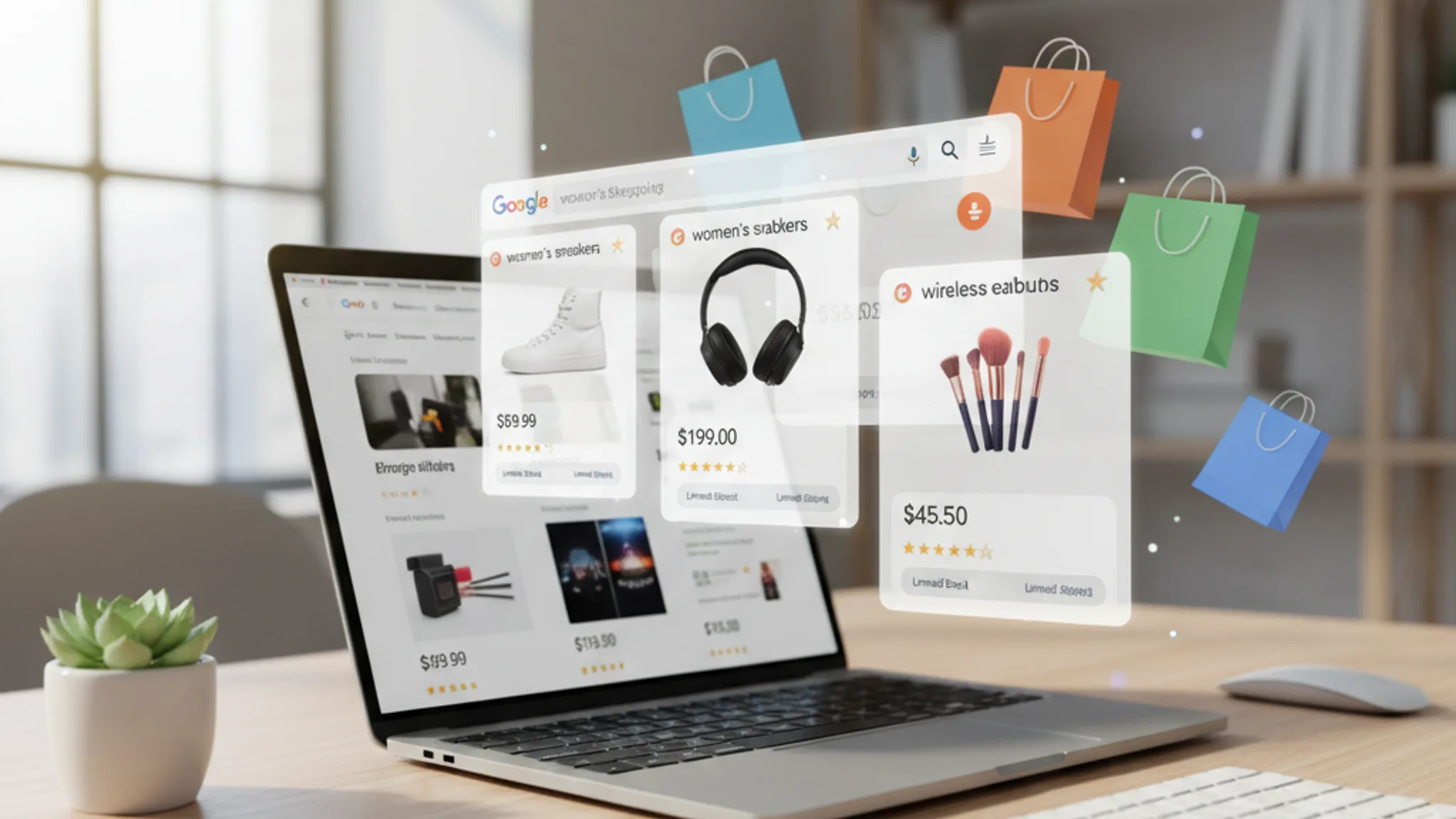
If you sell physical products online in Singapore, Google Shopping Ads should be one of the first channels you invest in. These are the product listings with images, prices, and store names that appear at the very top of Google search results, above even the text ads. When someone searches "wireless earbuds Singapore" or "running shoes sale," these visual product cards are what they see first.
Google Shopping has been available in Singapore since February 2017, and it has become one of the most effective paid channels for e-commerce businesses in this market. The numbers tell the story: Shopping Ads typically deliver a 23% lower cost per click compared to standard text ads, while showing buyers exactly what they are getting before they even click. That combination of lower cost and higher purchase intent makes Shopping Ads remarkably efficient.
We manage Google Shopping campaigns for Singapore e-commerce businesses across multiple product categories, and this guide covers everything we have learned: from initial setup and product feed optimisation through to advanced bidding strategies and common mistakes that waste budget. Whether you are launching your first Shopping campaign or looking to improve an existing one, this is the playbook.
Key Takeaways
- 1 What are Google Shopping Ads? Jump to this section
- 2 Why Google Shopping Ads matter for Singapore e-commerce Jump to this section
- 3 How to set up Google Shopping Ads in Singapore Jump to this section
- 4 Product feed optimisation Jump to this section
- 5 Standard Shopping vs Performance Max campaigns Jump to this section
What are Google Shopping Ads?
Google Shopping Ads (also called Product Listing Ads or PLAs) are a visual ad format that displays your products directly within Google search results. Unlike text ads where you write headlines and descriptions, Shopping Ads pull product information automatically from your product data feed: the image, title, price, store name, and sometimes ratings or promotional badges.
Here is where Shopping Ads can appear:
- Google Search results page: at the very top in a scrollable carousel, or in the dedicated "Shopping" tab
- Google Shopping tab: a standalone product comparison experience accessible via the "Shopping" link in Google search
- Google Images: product listings can surface within image search results
- Google Display Network and YouTube: through Performance Max campaigns, your products can appear as visual ads across Google's entire network
The key difference from text ads is that Shopping Ads are feed-driven, not keyword-driven. You do not bid on specific keywords. Instead, Google matches your product data (titles, descriptions, categories) to relevant search queries automatically. This means the quality of your product feed directly determines which searches trigger your ads and how well they perform.
Shopping Ads run on a CPC (cost per click) model, which means you only pay when someone clicks on your product listing and lands on your website. Impressions are free. For e-commerce businesses, this is significant: thousands of potential customers can see your products, prices, and brand at zero cost before you pay a single cent.
Why Google Shopping Ads matter for Singapore e-commerce
Singapore is one of Southeast Asia's most developed e-commerce markets. Approximately 60% of Singapore's population makes at least one online purchase per year, and that figure continues to climb. For online retailers, the question is not whether people are buying online, but whether they can find your products when they search.
Here is why Shopping Ads deserve a prominent place in your e-commerce marketing strategy:
- 23% lower CPC than text ads: Shopping Ads consistently cost less per click than standard search ads. For e-commerce businesses operating on tight margins, this efficiency matters enormously. Lower CPCs mean more clicks within the same budget, which means more opportunities to convert.
- Visual format captures attention: shoppers can see the product image, price, and store name before clicking. This pre-qualifies traffic because people who click already know what the product looks like and how much it costs. The result is higher conversion rates compared to text ads where the visitor only discovers the product after clicking through.
- High purchase intent: people searching for specific products ("Samsung Galaxy S25 Ultra case Singapore" or "organic baby formula delivery") are typically further along in the buying journey than someone searching for informational queries. Shopping Ads place your products in front of these high-intent searchers at the exact moment they are ready to buy.
- Multiple product placements: unlike text ads where you typically get one listing per search, Google can show multiple Shopping Ads from the same store for a single query. If someone searches for "yoga mat," you could have two or three of your yoga mats appearing in the carousel simultaneously.
- Competitive visibility: if your competitors are running Shopping Ads and you are not, they are capturing the most prominent real estate on the search results page. In product categories where several Singapore retailers compete, being absent from Shopping results means losing sales to competitors who show up.
For most Singapore e-commerce businesses, Shopping Ads deliver the best return on ad spend (ROAS) of any Google Ads campaign type. The combination of visual format, lower costs, and purchase intent creates a channel that consistently outperforms text ads for product sales.
How to set up Google Shopping Ads in Singapore
Setting up Google Shopping Ads involves more steps than launching a standard text ad campaign. You need two platforms working together: Google Merchant Center (where your product data lives) and Google Ads (where your campaigns run). Here is the complete setup process for Singapore stores.
Step 1: Create your Google Merchant Center account
Google Merchant Center is the hub for your product data. This is where you upload, manage, and maintain your product feed. To create your account:
- Sign in with your Google account and navigate to Merchant Center
- Enter your business name and the country where your products are sold (Singapore)
- Add your website URL and verify ownership (via HTML tag, Google Analytics, or Google Tag Manager)
- Set your shipping and return policies (required for Singapore)
Step 2: Set up your product feed
Your product feed is the data file that contains all the information about your products. This is the single most important element of your Shopping Ads setup. For Singapore, your feed must meet these requirements:
- Currency must be SGD: all prices must be listed in Singapore Dollars. If your store also serves other markets, you need separate feeds for each currency.
- Landing pages must be the Singapore version: product URLs should point to your Singapore store. If you run a multi-region site, make sure the feed links to the correct regional version.
- Language: English is the primary language for Singapore Shopping Ads. Your product titles and descriptions should be in English.
- GST compliance: prices should be GST-inclusive. Singapore shoppers expect to see the final price, not a price with tax added at checkout.
If you use popular e-commerce platforms like Shopify or WooCommerce, there are plugins and built-in integrations that generate your Google Shopping feed automatically. Shopify's Google channel app, for example, syncs your entire product catalogue to Merchant Center with minimal manual configuration.
Step 3: Configure shipping settings
Google requires accurate shipping information for Singapore. You need to set up:
- Shipping rates (flat rate, free shipping, or calculated based on weight/order value)
- Delivery timeframes (estimated transit time within Singapore)
- Any minimum order values for free shipping
Be accurate here. If your shipping costs on Merchant Center do not match what customers see at checkout, Google can disapprove your products or suspend your account.
Step 4: Link Google Merchant Center to Google Ads
Once your product feed is live and approved in Merchant Center, link it to your Google Ads account. Go to Merchant Center settings, find the "Linked accounts" section, and send a link request to your Google Ads account. Accept the request from the Google Ads side. Once linked, your product data becomes available for Shopping campaigns.
Step 5: Create your first Shopping campaign
In Google Ads, create a new campaign, select "Sales" as your objective, and choose "Shopping" as the campaign type. Select the Merchant Center account you just linked, confirm Singapore as your target country, and set your daily budget and bidding strategy. We will cover campaign types and bidding strategies in detail in the sections below.
Product feed optimisation
Your product feed is the foundation of everything. A well-optimised feed means better ad placements, lower CPCs, and more relevant traffic. A poorly optimised feed means wasted budget and missed opportunities. Here are the key areas to focus on.
Product titles
Your product title is the single most important field in your feed. Google uses it heavily to match your products to search queries. Best practices for Singapore:
- Front-load important keywords: put the brand name, product type, and key attributes at the beginning. "Samsung Galaxy S25 Ultra 256GB Titanium Black" is far better than "Latest Samsung Phone."
- Include relevant attributes: size, colour, material, model number. Shoppers search for specifics.
- Keep it under 150 characters: Google truncates longer titles. The most important information should appear in the first 70 characters for mobile visibility.
- Do not stuff keywords: "Wireless Earbuds Bluetooth Earbuds Singapore Earbuds Best Earbuds" will get your products disapproved.
Product descriptions
While descriptions are less visible than titles, Google still uses them to understand your products and match them to queries. Write natural, detailed descriptions that include relevant keywords organically. Focus on features, specifications, and use cases. Aim for 500 to 1,000 characters.
Product images
Images are what make Shopping Ads visual. Google has strict requirements:
- Minimum resolution of 100x100 pixels (250x250 for apparel). We recommend at least 800x800 for quality display.
- White or clean background for the main image (lifestyle images can be used as additional images)
- No watermarks, promotional text, or logos overlaid on the product image
- The product should fill 75% to 90% of the image frame
Products with high-quality images consistently get higher click-through rates. If you are selling fashion, electronics, or home goods, invest in proper product photography. The cost pays for itself in improved ad performance.
GTINs and product identifiers
Global Trade Item Numbers (GTINs), also known as barcodes or EAN numbers, help Google match your products to its catalogue. If your products have GTINs, include them. Products with GTINs typically receive priority placement because Google can more confidently identify the product. For Singapore stores selling branded goods, this is especially important.
If you sell custom or handmade products without GTINs, set the identifier_exists attribute to "false" in your feed. This tells Google not to expect a GTIN for that product.
Google product categories
Assign the most specific Google product category you can. "Electronics > Audio > Headphones > In-Ear Headphones" is far better than just "Electronics." Specific categorisation helps Google show your products for the right searches and improves your quality score.
Custom labels
Custom labels (custom_label_0 through custom_label_4) let you segment your products for campaign management. You can label products by:
- Profit margin (high, medium, low)
- Seasonality (CNY, Christmas, back-to-school)
- Best sellers vs. slow movers
- Price range
- Clearance or promotion status
These labels do not affect how Google displays your ads, but they give you powerful tools for bidding and budget allocation within your campaigns. We use custom labels extensively to allocate more budget to high-margin products and reduce spend on items that barely break even.
Standard Shopping vs Performance Max campaigns
Google offers two main campaign types for Shopping Ads, and choosing the right one (or using both strategically) has a major impact on your results.
Standard Shopping campaigns
Standard Shopping campaigns give you granular control over your product groups, bids, and negative keywords. You can:
- Set individual bids for specific product groups
- Add negative keywords to prevent your ads from showing for irrelevant searches
- View full search term reports to understand exactly what queries trigger your ads
- Structure campaigns by product category, brand, or custom labels
Best for: advertisers who want full control, have the time to manage campaigns actively, and prefer to make data-driven bid adjustments manually. Standard Shopping is excellent when you are starting out because you can learn which products and search terms perform best before scaling.
Performance Max campaigns
Performance Max (PMax) is Google's AI-powered campaign type that runs your Shopping Ads across all Google channels (Search, Shopping, Display, YouTube, Discover, Gmail, Maps) from a single campaign. Google's machine learning handles bidding, targeting, and creative optimisation automatically.
- Broader reach across all Google surfaces, not just Shopping placements
- AI-driven bidding that optimises for conversions or conversion value
- Less manual work once set up properly
- Access to audience signals to guide Google's targeting
Best for: advertisers who have conversion tracking properly configured, have sufficient conversion data (at least 30 to 50 conversions per month is ideal), and want to scale their campaigns without micromanaging every bid.
Our recommendation for Singapore e-commerce
We typically recommend starting with a Standard Shopping campaign. This gives you visibility into which products perform, which search terms convert, and what your baseline metrics look like. Once you have at least four to six weeks of conversion data, you can either transition to Performance Max or run both in parallel. The data from your Standard Shopping campaign gives Performance Max a much better starting point than launching PMax cold.
One important note: Performance Max will take priority over Standard Shopping if both are running for the same products. Structure your campaigns carefully to avoid cannibalisation.
Bidding strategies for Shopping Ads
Your bidding strategy determines how much you pay per click and how aggressively Google pursues traffic for your products. Choosing the right strategy depends on your goals, budget, and how much conversion data you have accumulated.
Manual CPC
You set the maximum bid for each product group yourself. This gives you complete control but requires active management.
- Pros: full control over costs, can set different bids for different product groups based on margin or performance
- Cons: time-intensive, hard to scale across large catalogues, slower to react to real-time auction dynamics
- Best for: new campaigns, small product catalogues, or when you want to test the waters with a controlled budget
Enhanced CPC (eCPC)
A semi-automated option. You set the base bid, but Google can adjust it up or down based on the likelihood of conversion. Google will raise your bid for clicks it predicts are more likely to convert and lower it for less promising clicks.
- Pros: easy transition from manual CPC, still gives you baseline control
- Cons: less predictable costs than pure manual CPC
- Best for: campaigns with some conversion data that want a middle ground between control and automation
Maximise Clicks
Google automatically sets bids to get as many clicks as possible within your daily budget. Useful for building traffic and gathering data, but does not optimise for conversions.
- Pros: great for gathering initial data, maximises traffic volume
- Cons: does not consider conversion value, can attract low-quality clicks
- Best for: new campaigns that need volume data before switching to value-based bidding
Target ROAS (Return on Ad Spend)
You set a target return (e.g., 400% ROAS means you want $4 in revenue for every $1 spent on ads). Google's AI then adjusts bids to hit that target across your product catalogue.
- Pros: directly optimises for profitability, scales well across large catalogues
- Cons: needs significant conversion data to work well (Google recommends at least 15 conversions in the last 30 days), can restrict volume if the target is set too aggressively
- Best for: established campaigns with consistent conversion data and clear ROAS goals
In our experience managing Shopping campaigns for Singapore stores, the most effective progression is: Manual CPC (weeks 1 to 4) to Enhanced CPC (weeks 4 to 8) to Target ROAS (once you have 30+ conversions). This gives Google's algorithms enough data to make intelligent bidding decisions rather than guessing from day one.
Recommended reads
Google Shopping Ads cost in Singapore
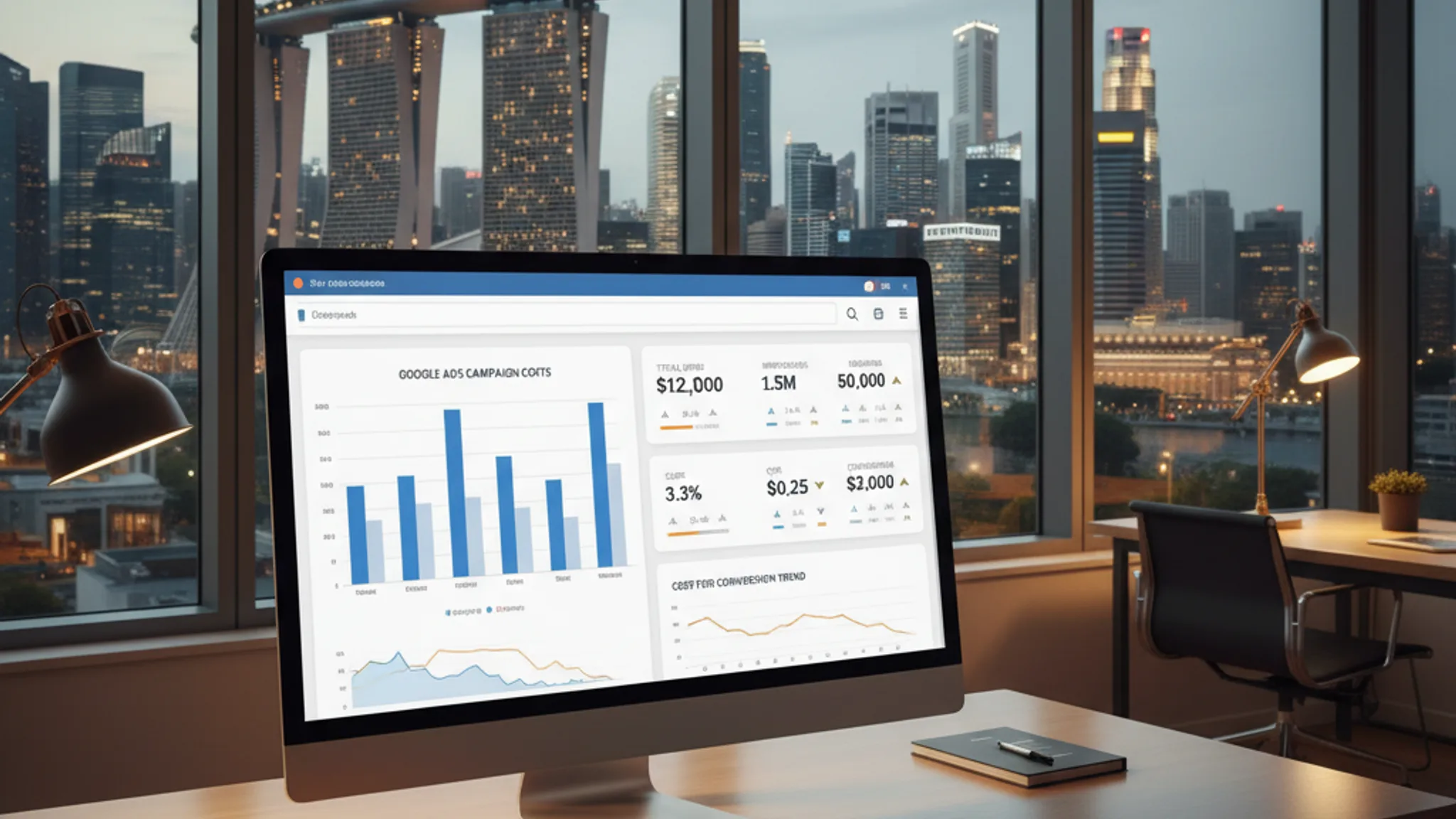
One of the most common questions we get from Singapore e-commerce businesses is "how much do Shopping Ads cost?" The honest answer: it varies significantly by product category, competition level, and how well your feed is optimised. Here are the typical ranges we see across our Singapore campaigns.
Average CPC by product category
- Fashion and apparel: $0.30 to $0.80 per click
- Electronics and gadgets: $0.50 to $1.50 per click
- Health and beauty: $0.25 to $0.70 per click
- Home and furniture: $0.40 to $1.20 per click
- Sports and fitness: $0.30 to $0.90 per click
- Baby and kids: $0.20 to $0.60 per click
- Food and grocery: $0.15 to $0.50 per click
These are averages. Highly competitive products (branded electronics, luxury goods) can cost more, while niche products with less competition can cost significantly less. For a deeper breakdown of Google Ads pricing, check our complete guide to Google Ads costs in Singapore.
Budget recommendations
We typically recommend the following monthly budgets based on catalogue size and goals:
- Small catalogue (under 100 products): $500 to $1,500/month to start. Enough to generate meaningful data across your product range.
- Medium catalogue (100 to 500 products): $1,500 to $4,000/month. Allows proper budget distribution across product categories.
- Large catalogue (500+ products): $4,000 to $10,000+/month. Needed to give sufficient impression share across a wide product range.
Start with a budget you can sustain for at least 60 to 90 days. Shopping campaigns need time to accumulate data, optimise product placements, and build conversion history. Cutting budget after two weeks because "it is not working" is one of the most common mistakes we see. The learning period is real, and patience pays off.
Common mistakes with Google Shopping Ads
After managing Shopping campaigns for dozens of Singapore e-commerce businesses, we see the same mistakes come up repeatedly. Avoiding these will put you ahead of most advertisers in this market.
1. Poor product feed quality
This is the number one issue. Vague product titles, missing attributes, outdated prices, or broken product URLs. Your feed is your foundation. If it is sloppy, everything built on top of it suffers. We recommend auditing your feed monthly and fixing any disapprovals or warnings in Merchant Center promptly.
2. Missing GTINs for branded products
If you sell products from established brands and those products have barcodes, include the GTINs in your feed. Products without GTINs when they should have them receive lower priority in auctions, meaning fewer impressions and higher costs. Check with your suppliers for barcode information if it is not already in your system.
3. Low-quality product images
Blurry photos, cluttered backgrounds, watermarks, or images where the product is too small in the frame. Your product image is the first thing shoppers see in a Shopping Ad. If it looks unprofessional, they will click on a competitor's cleaner listing instead. Invest in proper product photography, even if it means shooting products against a white background with a smartphone and decent lighting.
4. Ignoring negative keywords
In Standard Shopping campaigns, negative keywords are essential. Without them, your products might show up for irrelevant searches. A store selling premium leather wallets does not want to appear for "free wallet" or "wallet repair." Review your search terms report weekly during the first month and add negatives aggressively. This alone can reduce wasted spend by 15% to 25%.
5. Wrong campaign structure
Dumping all products into a single ad group with one bid is a recipe for inefficiency. Your best-selling, highest-margin products deserve different bids than clearance items. Structure your campaigns by product category, brand, or margin level so you can allocate budget where it generates the best returns.
6. Not tracking conversions properly
Running Shopping Ads without conversion tracking is like driving blind. You need to track purchases, revenue values, and ideally profit margins to understand which products generate real returns. Set up Google Ads conversion tracking with dynamic revenue values before spending a single dollar on Shopping.
7. Setting and forgetting
Shopping campaigns require ongoing optimisation. Prices change, products go out of stock, new competitors enter the market, and seasonal demand shifts. At minimum, check your campaigns weekly for disapproved products, review search terms, adjust bids based on performance, and ensure your feed reflects current inventory and pricing.
Advanced strategies for Google Shopping Ads
Once your Shopping campaigns are running profitably, these advanced tactics can help you squeeze more revenue from your ad spend.
Remarketing lists for Shopping Ads (RLSA)
Layer remarketing audiences onto your Shopping campaigns to bid more aggressively for people who have already visited your website. Someone who browsed your running shoes collection last week is significantly more likely to convert than a first-time visitor. By increasing bids 20% to 50% for past visitors, you prioritise budget toward your warmest prospects.
You can create audiences based on specific behaviours: viewed product pages, added to cart but did not purchase, previous customers, or visitors who spent more than two minutes on site. Each audience segment can have its own bid adjustment.
Audience layering beyond remarketing
Google offers several audience types you can layer onto Shopping campaigns:
- In-market audiences: people actively researching products in your category. Google identifies these users based on their recent search and browsing behaviour.
- Similar audiences: users who resemble your existing customers based on their online behaviour patterns.
- Customer Match: upload your customer email list and target (or exclude) those users in your campaigns. Useful for targeting repeat buyers with new product launches.
Start by adding these audiences in "Observation" mode so you can see performance data without restricting your targeting. Once you identify high-performing segments, apply bid adjustments.
Seasonal adjustments
Singapore has distinct shopping peaks that you should plan for:
- Chinese New Year (Jan/Feb): fashion, gifts, home decor, food hampers
- Great Singapore Sale (Jun/Jul): broad retail demand across categories
- 9.9, 10.10, 11.11 sales (Sep/Oct/Nov): electronics, fashion, beauty. These Shopee and Lazada-driven events also boost Google Shopping traffic significantly.
- Black Friday/Christmas (Nov/Dec): electronics, toys, gifts
Increase budgets 30% to 50% during peak periods for your product category. Also update your product titles and descriptions with seasonal terms (e.g., "CNY gift set" or "Christmas bundle") during these windows. Revert after the season ends.
Competitor price monitoring
Google Merchant Center provides a Price Competitiveness report that shows how your prices compare against other retailers selling the same products. If your products are consistently priced higher than competitors, your Shopping Ads will struggle regardless of your bid strategy. Use this report to identify products where you are uncompetitive and either adjust pricing, bundle products for better value, or pause those products and reallocate budget to items where you have a price advantage.
Supplemental feeds for quick updates
Rather than modifying your primary product feed for temporary changes (promotional pricing, seasonal descriptions, custom labels), use supplemental feeds. These overlay data on top of your primary feed and can be updated quickly without disrupting your main feed. This is especially useful for time-sensitive promotions during Singapore's peak shopping periods.
How long does it take for Google Shopping Ads to start working?
After submitting your product feed to Google Merchant Center, it typically takes 24 to 72 hours for products to be reviewed and approved. Once approved and your Shopping campaign is live, you should start seeing impressions within the first day. However, meaningful performance data usually takes two to four weeks to accumulate. We recommend running campaigns for at least 60 days before making major strategic decisions, as Google's algorithms need time to learn which products and audiences convert best.
Can I run Google Shopping Ads for a Shopify store in Singapore?
Yes, and Shopify makes it relatively straightforward. Install the Google and YouTube app from the Shopify App Store, connect your Google account, and the app will sync your product catalogue to Google Merchant Center automatically. It handles product data formatting, price synchronisation, and inventory updates. You still need to optimise your product titles and descriptions within Shopify for best results, since the feed pulls directly from your product listings. WooCommerce has similar functionality through plugins. We cover platform comparisons in our Shopify vs WooCommerce guide.
Do I need a minimum number of products to run Shopping Ads?
No, there is no minimum. You can run Shopping Ads with even a single product. That said, campaigns with larger catalogues tend to benefit more because they can capture a wider range of search queries. If you have fewer than 10 products, you might find that Standard Shopping gives you better control than Performance Max, since PMax works best with larger data sets.
What is the difference between free listings and paid Shopping Ads?
Google offers free product listings in the Shopping tab alongside paid Shopping Ads. Free listings use the same product feed from Merchant Center but do not require a Google Ads campaign or budget. They appear lower on the page and get significantly less visibility than paid ads. Our recommendation: use free listings as a bonus (they are essentially free traffic), but do not rely on them as your primary channel. Paid Shopping Ads get prominent placement and consistently drive more volume.
How do I handle products that go out of stock?
Your feed should reflect real-time inventory status. If a product is out of stock, set the availability attribute to "out_of_stock" in your feed. Google will stop showing ads for that product automatically. Most e-commerce platforms (Shopify, WooCommerce, Magento) handle this through their feed integrations. The key risk is if your feed does not update quickly enough and customers click on ads for products they cannot actually buy. This wastes ad spend and frustrates shoppers. Ensure your feed updates at least daily, ideally every few hours for stores with fast-moving inventory.
Should I run Shopping Ads alongside SEO?
Absolutely. Shopping Ads and e-commerce SEO complement each other. SEO builds long-term organic visibility for your product and category pages, while Shopping Ads provide immediate visibility at the top of search results. Many of our clients run both: Shopping Ads capture high-intent product searches right now, while their SEO strategy builds ranking authority over time. The data from your Shopping campaigns (which search terms convert, which products sell) also informs your SEO strategy, helping you prioritise which product and category pages to optimise first.
Google Shopping Ads are one of the most effective channels for Singapore e-commerce businesses. The combination of visual product listings, lower CPCs, and high purchase intent makes them a strong performer across virtually every product category. But performance depends heavily on the fundamentals: a well-optimised product feed, proper campaign structure, smart bidding strategy, and consistent ongoing management.
If you are just getting started, focus on your product feed first. Get your titles, images, and attributes right before worrying about advanced bidding or audience strategies. A clean, comprehensive feed with accurate data will outperform a mediocre feed with a sophisticated campaign structure every time.
We help Singapore e-commerce businesses set up, optimise, and manage Google Shopping campaigns that deliver measurable returns. Whether you need help with your e-commerce website, product feed optimisation, or full campaign management, get in touch for a free consultation. We will review your current setup and show you exactly where the opportunities are.

Written by
Terris
Founder & Lead Strategist
Terris manages Google Ads campaigns for Singapore e-commerce businesses, helping online stores maximise their return on ad spend through data-driven Shopping campaigns, feed optimisation, and strategic bidding.
Want to see these strategies in action? Browse our portfolio or get in touch to discuss your project.