Web Development Website Security
Headless CMS: What It Is and When You Need One (October 2026)
A headless CMS keeps the editing system off your public website. How it works day to day, what it fixes after PHP2Shell, real US$ prices, and when to skip it.

Every page view on a normal WordPress site runs PHP, the same software that runs its login page. This week that turned into a problem. PHP2Shell, two critical flaws in PHP itself, can let a stranger run code on a server with one web request, and PHP's own advisory says the worst case fires "before any application code runs". A headless CMS is a way of building a site so the public website and the editing system are two separate things, which leaves a bug like this far less to reach.
A headless CMS is a content management system with no website of its own. Your team edits words, photos, menus and prices in it, and a separate website pulls that content in and shows it to visitors. If you run an F&B business, you already know the model: a central kitchen cooks for every outlet and the catering orders, and customers never set foot in it. The CMS is the central kitchen. A traditional WordPress site is a restaurant where every diner walks through the kitchen to reach their table.
Is it worth it? A headless CMS earns its keep when several people update the site every week and you want the public site fast and off PHP. A six-page site that changes twice a year doesn't need one. Below I cover what it is, how editing works on a normal Tuesday, exactly what it fixes for security and what it doesn't, seven options with current US$ prices, and when I'd tell you to skip it. If you're here because of this week's news, read my guide to the PHP2Shell vulnerability first: patching comes before any rebuild.
A headless CMS is a content management system that stores and edits your content but has no public website built in; a separate front end fetches that content through an API and turns it into pages. The "head" is the part visitors see. WordPress, Joomla and Drupal come with the head attached: one PHP application stores your posts, builds every page on request and runs the admin login, all on the same server and the same domain.
Take the head off and you get two pieces:
- The CMS, where your team logs in to edit. It can be a hosted service such as Sanity or Storyblok, an open-source app your developer runs, or WordPress with its own front end switched off.
- The front end, the website itself, built with a framework such as Astro or Next.js. Usually it's built into plain HTML files ahead of time and served from a CDN, a network of servers that hands each visitor a copy from somewhere close by.
The two talk through an API, which is just a way for one program to ask another for data. When you publish a change, the CMS tells the front end, the front end rebuilds the pages that changed, and the new version goes live.
| Traditional WordPress | Headless CMS with a static front end | |
|---|---|---|
| What a page view reaches | PHP and the database, every time | Pre-built files on a CDN |
| Where editors log in | yoursite.com/wp-admin, on the public domain | A separate address |
| Who controls the layout | Anyone with admin access, through the theme or page builder | The developer, in code; editors fill in fields |
| New features | Install a plugin in one click | A developer builds or connects them |
| Hosting | A PHP server with a database, kept patched | Static hosting, often on a free plan |
One thing the table hides: headless is about where the content lives, and says nothing about how the front end is served. A headless front end can also be server-rendered, built fresh on every visit, which brings back a server you have to keep patched. For a business site I build the static version unless something needs a live server.
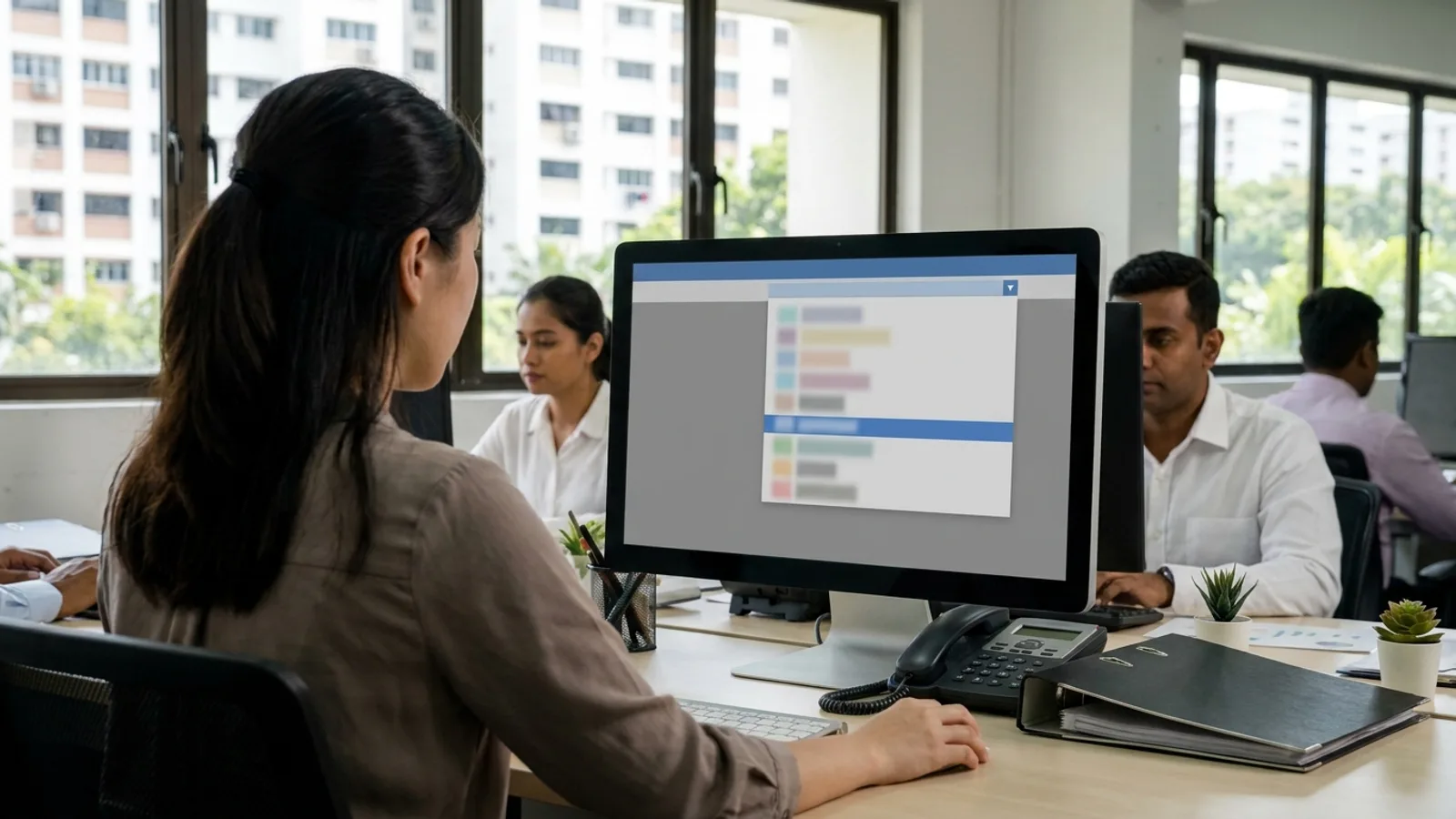
Editing a headless CMS day to day means logging in to a separate editing screen, filling in labelled fields, checking a preview and pressing Publish, after which the site rebuilds with your change, usually within a minute or two on a small site. For most owners the surprise is how little there is to break.
A typical change on a restaurant site goes like this:
- Log in to the CMS. It has its own address, so it isn't sitting on the public website.
- Open Menus, pick Dinner and change the price of a dish. Each dish has its own fields: name, description, price, dietary notes, photo.
- Click Preview to see the page as it'll look.
- Press Publish. The CMS sends a signal (a webhook) to the host, which rebuilds the site and swaps the new files in.
The big difference from a WordPress page builder is that you edit the content while the layout stays put. You can add a dish, an event or a blog post. You can't drag a section to a new spot or change the font. Some owners find that limiting. Plenty find it a relief, because nobody can break the homepage at 11pm. A new kind of page, or a new section design, is a job for the developer.
That's how Ingleside, a restaurant on Tras Street, runs its site. I built the front end in Next.js with WordPress as the CMS, so the team updates its dinner, tasting and lunch menus and its events in the familiar WordPress admin. Visitors never touch WordPress. They get the Next.js site.
Most platforms also give you roles, so a junior can draft but only a manager can publish, and version history, so a wrong edit can be rolled back. Storyblok and Sanity go further with visual editing, where you click on a live preview of the page and edit what you see.
A headless CMS with a static front end is more secure than a standard WordPress site because the public website is just files on a CDN, with no PHP or database for a visitor's request to reach, and the editing system lives at a different address. How much safer depends on which CMS you choose and who runs it.
PHP2Shell shows why this matters. PHP says every PHP installation serving web requests is at risk, including PHP-FPM, Apache with mod_php and LiteSpeed, and Singapore's Cyber Security Agency reports widespread exploitation attempts. On WordPress, the "web request" in question is any page view, and Wiz Research demonstrated the attack against the then-latest WordPress container image. On a static front end, a page view is a file being handed out, with no PHP behind it.
The editing side is where the options differ:
- Hosted CMS (Sanity, Storyblok, Contentful). The vendor runs and patches the servers. Your job is the accounts: two-factor login for every editor, removing people who leave, and keeping API keys out of public code.
- Self-hosted open source (Strapi, Payload). No PHP, because both run on Node.js. But someone now patches Node.js and the CMS itself, and that someone is you or your developer.
- Git-based (Keystatic, Decap). There's no CMS server. Edits are saved as files in your code repository, so the account to guard is GitHub.
- Headless WordPress. PHP still runs. The next section covers what that means.
A static site isn't a fortress either. It still has a domain registrar and DNS account, a hosting or GitHub account, form handlers and any small server functions, third-party scripts, and the npm packages pulled in when it builds. What it doesn't have is a PHP runtime, a database or a public login page. My static vs dynamic website comparison goes through that list properly.
Headless WordPress takes PHP off your public website, but PHP still runs on the server that hosts WordPress, so that server still needs patching; the gain is that you can hide it from the internet. If the WordPress server stays publicly reachable, at /wp-admin, at its /wp-json API or anywhere else, a stranger's request still reaches PHP, exactly as it would on a normal WordPress site.
Hiding it means access control that sits in front of PHP, so a request from a stranger is turned away before PHP ever reads it:
- Cloudflare Access, part of Cloudflare Zero Trust, puts a login screen in front of the whole WordPress address. Its free plan covers up to 50 users, which is every editor a small business has.
- An IP allowlist on the server's firewall, so only your office and your build service can connect.
- A VPN, if your IT provider already runs one for the office.
What doesn't count is a security plugin that renames or hides the login page. That plugin is PHP code too, and PHP says the mod_php exploit can trigger before any application code runs, so a plugin can't be relied on to stop it.
Even with the lock on, you still patch. Your editors reach that server every day and your build reaches it on every publish. And if the front end fetches content on every page view instead of at build time, your host's servers need a way through as well, which makes the lock harder to keep tight. CSA's advisory puts it in two words: "Patch immediately." Access control cuts down who can knock. The update fixes the door.
Setting WordPress up this way is straightforward: its built-in REST API hands content to any front end. The catch is that anything a plugin used to add to your pages, such as a contact form or a page builder layout, now has to be rebuilt in the front end.
For most small businesses the best headless CMS is a hosted one with a usable free plan, such as Sanity, because the vendor patches it and a 20-page site fits comfortably inside the free limits; headless WordPress suits teams who already know the WordPress admin. Here are the seven I'd shortlist, with prices from each vendor's own pricing page on 23 October 2026.
| CMS | How it runs | Who patches the editing side | Free plan | Paid from (US$) | Suits |
|---|---|---|---|---|---|
| Sanity | Hosted service | Sanity | Yes: up to 20 seats, 10,000 documents | Growth: US$15 per seat a month | Most small business sites |
| Storyblok | Hosted service | Storyblok | Starter: 1 seat, meant for testing and personal projects | Growth: US$99 a month (US$90.75 billed yearly) | Marketing teams who want visual editing |
| Contentful | Hosted service | Contentful | Yes, but commercial use isn't allowed | Lite: US$300 a month | Larger companies, many channels |
| Strapi | Open source (Node.js), self-hosted or Strapi Cloud | You, or Strapi on Cloud | Self-hosted Community edition is free | Cloud Starter: US$35 a month per project | Teams with a developer on hand |
| Payload | Open source (Node.js and Next.js), self-hosted | You | Free, MIT licence | No hosted plan open to new projects | Custom builds on Next.js |
| Keystatic or Decap | Git-based, content saved as files in your repository | No CMS server to patch | Yes: Keystatic Cloud free for up to 3 users; Decap is free | Keystatic Cloud Pro: US$10 a month | Small sites with one to three editors |
| Headless WordPress | Open source (PHP), self-hosted | You or your host | WordPress is free | Hosting cost only | Teams who already use WordPress |
A line on each:
- Sanity. Its free plan is generous enough that a typical small business site won't outgrow it. The editing screen is very flexible, so how pleasant it is depends on how well your developer sets it up.
- Storyblok. The best visual editor of the seven. Its free plan has one seat, so a real team pays for Growth.
- Contentful. Built for big content teams. Its usage rules say "commercial use of the Free plan is strictly prohibited", so a business starts at US$300 a month. Too much for most SMEs.
- Strapi. Free if your developer hosts it. Strapi Cloud plans run US$35, US$90 or US$450 a month per project, and Strapi stopped new free Cloud sign-ups on 1 July 2026.
- Payload. A good open-source CMS that lives inside a Next.js app. Payload joined Figma in June 2025 and has paused new projects on its own cloud, so you'd self-host it and own the patching.
- Keystatic and Decap. The cheapest and simplest setup there is. Keystatic Cloud handles logins free for up to 3 users, though its makers still call the project experimental. Decap (formerly Netlify CMS) is free too, and its logins take more setting up.
- Headless WordPress. The pick when the team knows WordPress or you have years of posts in it. You keep the familiar admin and keep paying for a server that runs PHP.
A headless CMS costs from US$0 to US$300 or more a month in software, and most small business sites fit inside a free plan; the bigger cost is the one-off build, because someone has to plan the content fields and code the front end.
The running costs break down like this:
- The CMS. US$0 on Sanity's free plan or a git-based CMS, US$99 a month for Storyblok's visual editor. Read the free-plan rules first: Contentful's bans commercial use.
- Hosting the front end. Static files cost very little to serve. Cloudflare Pages serves them free with no request limit and Netlify has a free plan. Vercel's free plan is for non-commercial use only, so a business there pays US$20 a seat a month.
- Hosting the CMS. Nothing for a hosted CMS. For headless WordPress, Strapi or Payload, you're paying for a server, and for someone's time to keep it updated.
The build is where the money goes. A headless site needs a content model (which fields a dish, an event or a case study has), a front end that turns those fields into pages, and the publish-and-rebuild wiring between them. In my packages, a CMS you edit yourself starts at the Growth tier, from SGD 7,585 for up to 20 pages, and you choose WordPress or headless. The website design packages page lists what's in each tier. Starter (from SGD 2,535) and the One Week Website (SGD 3,545) are built without a self-editable CMS, on purpose: for a site that rarely changes, you'd be paying to set up something you'd hardly use.
A small business doesn't need a headless CMS when its site is a handful of pages that change a few times a year, when the owner is the only editor and happy with a site builder, or when the site depends on WordPress plugins for shopping, bookings or memberships. In each case the setup costs more than it saves.
- A six-page site that changes twice a year. Ask your developer to make the edits. Two small changes a year cost a fraction of building an editing system. A static site with no CMS has the smallest attack surface of all.
- One editor who wants to design pages too. A hosted builder like Webflow or Squarespace lets you change layout and content in one place, and the platform patches the servers. My list of WordPress alternatives for business websites compares them on exactly that.
- WooCommerce, memberships or booking plugins. Going headless means rebuilding each of those features in the front end. A well-kept WordPress, on a supported PHP version with someone watching the updates, is often the cheaper and saner choice. That upkeep is what my website maintenance service covers, from SGD 550 a month.
- Nobody will own it. Headless adds moving parts: a CMS, a front end and the wiring between them. If the person who set it up leaves and nobody knows where the logins live, you've swapped one problem for another.
The sites that do suit headless: a restaurant changing menus weekly, a clinic with several practitioners and a blog, or any WordPress site that's mostly content, run by someone tired of plugin updates.
The difference between a headless CMS and WordPress is that WordPress both stores your content and builds the public pages with PHP on every visit, while a headless CMS only stores and edits content and leaves the public website to a separate front end. WordPress can also run headless, which is what Ingleside does.
In practice, standard WordPress gives you plugins, themes and drag-and-drop page building, and asks you to keep PHP, plugins and the database patched forever. A headless CMS gives you a faster public site that's cheap to host and has no PHP on it, and asks for a developer whenever you want a new kind of page.
A headless CMS is good for SEO when the front end sends Google finished HTML, either built ahead of time or rendered on the server, and when the content model includes fields for page titles, meta descriptions and social images. Speed helps too: pre-built pages on a CDN load quickly.
Two things go wrong. A front end that builds pages in the visitor's browser with JavaScript can leave search engines with a near-empty page. And if nobody adds SEO fields to the CMS, editors can't set titles, so every page inherits a default. Ask about both before you sign off a headless build.
You can move a WordPress site to a headless CMS in two ways: keep WordPress as the CMS and replace only the front end, or export the content into a new CMS such as Sanity and retire WordPress and its PHP server entirely. Either way, every old URL needs a redirect to its new address so you keep your Google rankings.
Keeping WordPress is quicker and keeps the admin your team knows, but PHP stays in your life. Moving out removes it. My guide to migrating from WordPress to a static site walks through the export, the URL map and the timeline.
You need a developer to set up a headless CMS and to add new page types later, but not for everyday editing: changing text, prices, photos, events and blog posts is form-filling that anyone who can use email picks up in an afternoon.
Plan for a short handover where the developer shows your team each content type, and ask for a one-page note on where the logins live and how to roll back a bad edit. Then keep that note somewhere that outlives the person who set it all up.
A headless CMS splits the editing system from the public site. With a static front end, visitors get files from a CDN and never reach PHP, which is the class of risk PHP2Shell exposed this week. It isn't magic: headless WordPress still runs PHP and still needs patching, a self-hosted CMS needs someone to update it, and every setup still has accounts to protect. And if your site changes twice a year, skip the CMS entirely.
If you're on WordPress right now, update PHP first. Your host may already have done it for free, in which case you don't need me. If you'd rather get off PHP for good, I rebuild sites as static Astro or Next.js front ends: Starter from SGD 2,535, the One Week Website at SGD 3,545, or Growth from SGD 7,585 with a headless CMS your team edits. If you're staying on WordPress for now, the fix is a fixed price in writing before I start, covering the PHP update and anything it breaks, from SGD 850, and SGD 550 a month keeps it current after that.
Not sure which you need? Start with my free PHP check. Send me your web address and I'll check which PHP version it runs, what it's built on and how old its theme and plugins are, and tell you what I find.
Sources and references (21)
- php.net
- csa.gov.sg › al 2026 151
- wiz.io › php2shell php rce
- sanity.io › pricing
- storyblok.com › pricing
- contentful.com › pricing
- contentful.com › usage limits january 2026
- strapi.io › pricing self hosted
- strapi.io › pricing cloud
- strapi.io › we re removing the free plan from strapi cloud
- docs.strapi.io › cli
- payloadcms.com › payload is joining figma
- payloadcms.com › payload has joined figma
- github.com › keystatic
- keystatic.com › cloud
- decapcms.org
- developer.wordpress.org › rest api
- cloudflare.com › cloudflare access
- developers.cloudflare.com › pricing
- netlify.com › pricing
- vercel.com › fair use guidelines